
Download PhoXoSee – Image Viewer, Fast Image Viewer, Lightweight Image Viewer, Real-Time Image Processing, File Format Support, Windows Explorer Integration, Photo Management Tool, Ultra-Fast Loading, Minimal Memory Usage, Customizable UI
Overview
PhoXoSee is a compact and high-performance image viewer designed for users seeking speed, efficiency, and minimal system impact. At just 1.5 MB in size, it stands out as a lightweight solution for viewing digital images across various formats. The app is optimized for ultra-fast loading times, enabling near-instant access to image files, which is especially beneficial for users managing large photo libraries or working in time-sensitive environments. Its minimal memory usage ensures it runs smoothly even on older or low-resource systems, making it a practical tool for both personal and commercial use.
PhoXoSee integrates directly with Windows Explorer, enhancing file browsing by enabling thumbnail previews for non-standard formats such as HEIC, SVG, PSD, and TGA. This feature streamlines workflows by allowing users to visually identify file contents without opening each image individually. The app also supports real-time image processing, offering on-the-fly adjustments that improve image clarity and appearance during viewing. This functionality is particularly useful for photographers, designers, and content creators who need quick access to enhanced visuals.
Designed with usability in mind, PhoXoSee caters to users who prioritize performance and simplicity over complex editing tools. Its ability to search photos by capture date and display GPS metadata adds organizational value for users with extensive image collections. The developer, PhoXoSee Team, has focused on creating a utility that enhances digital image management without compromising speed or system resources. Although specific details about the team’s background were not provided, the app’s focus on efficiency and compatibility suggests a targeted approach to solving common image viewing challenges.
Key Features & Functionality
- Ultra-Fast Loading: PhoXoSee is engineered to load images almost instantly, minimizing wait times even when navigating through hundreds of files. This is ideal for users who need rapid access to visual content, such as event photographers or digital archivists.
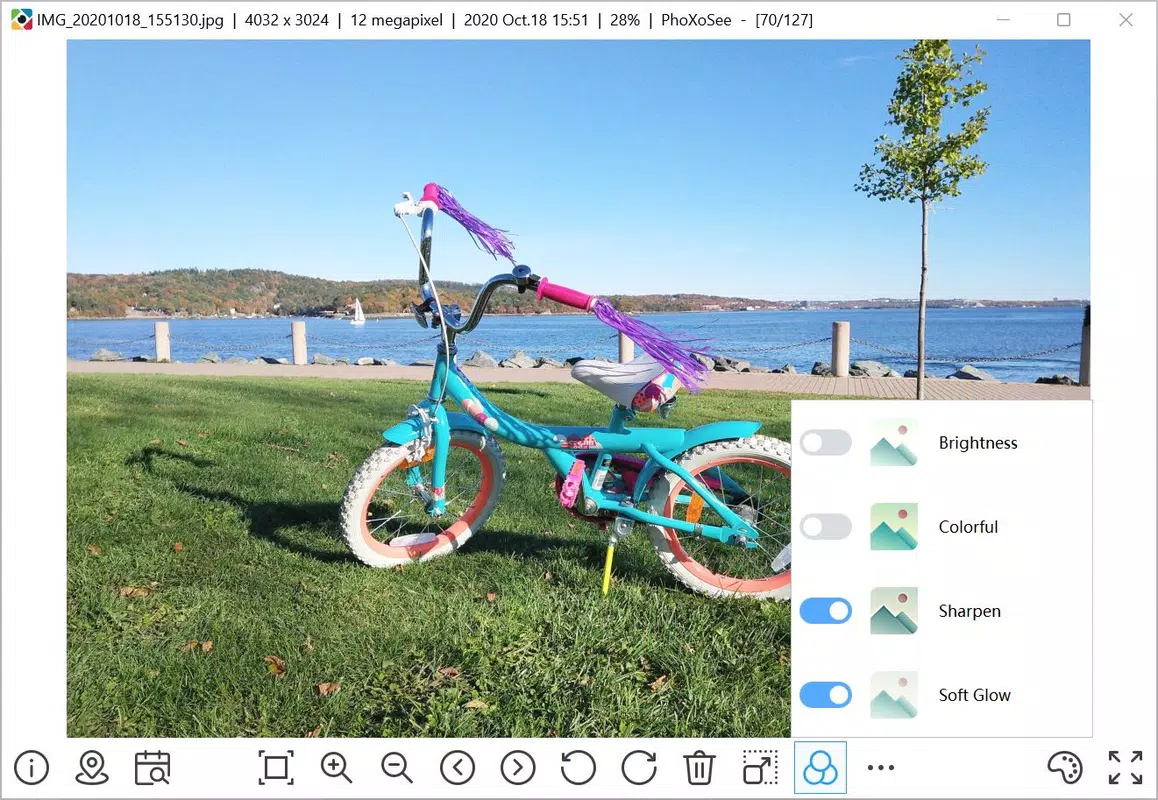
- Real-Time Image Processing: The app applies enhancements like brightness, contrast, and sharpness adjustments in real time, allowing users to preview improved image quality without saving changes. This is beneficial for quick assessments of photo quality before further processing.
- Advanced Search Tools: Users can filter and locate images by capture date and GPS location, streamlining the process of retrieving specific photos from large collections. This feature is especially useful for travel photographers or professionals managing geotagged media.
- File Format Support: By extending Windows Explorer’s capabilities, PhoXoSee enables thumbnail previews for HEIC, SVG, PSD, and TGA files. This improves visual navigation and reduces the need to open multiple files manually.
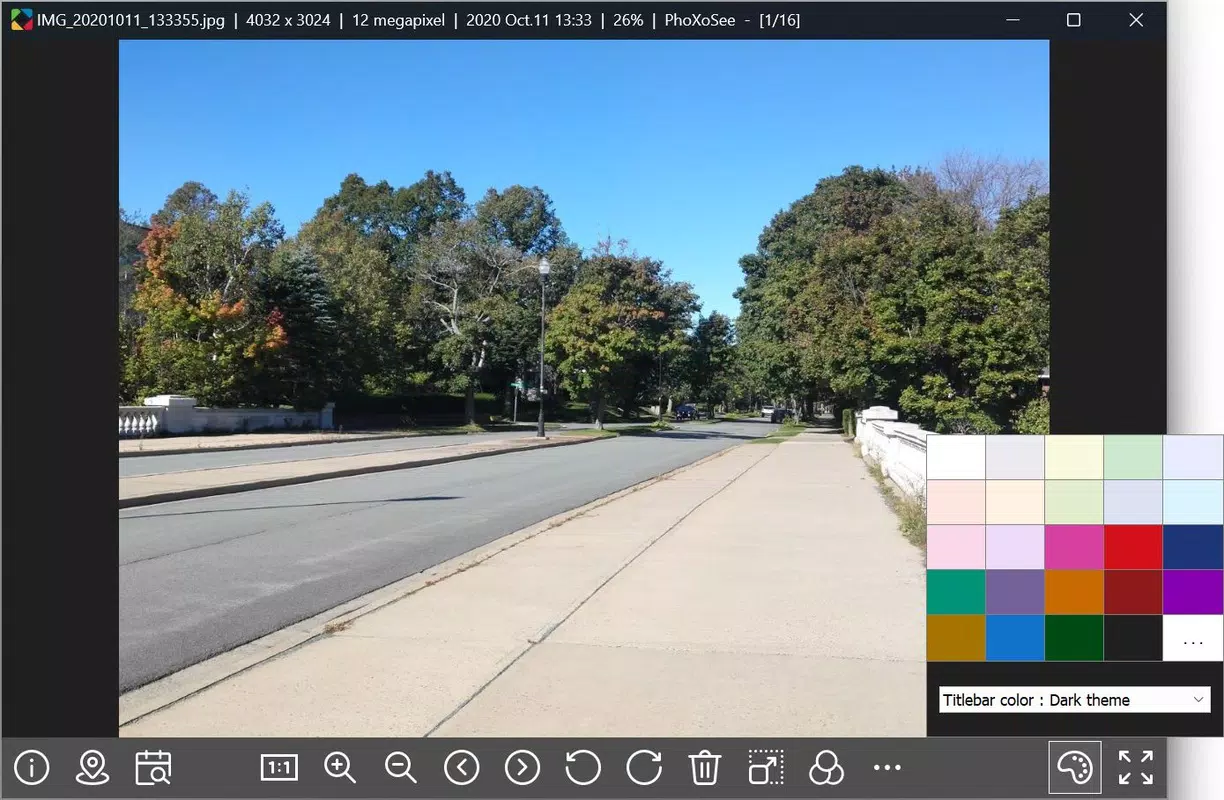
- Customizable User Interface: The interface supports multiple color themes, full-screen mode, and borderless display options, allowing users to tailor the viewing experience to their preferences. Built-in support for 12 languages increases accessibility for international users.
These features collectively enhance productivity by reducing friction in image management. For example, a user organizing a photo archive can quickly locate a specific image using GPS data, preview it via thumbnail, and apply real-time enhancements—all within a lightweight, responsive interface.
Interface, UX & Performance
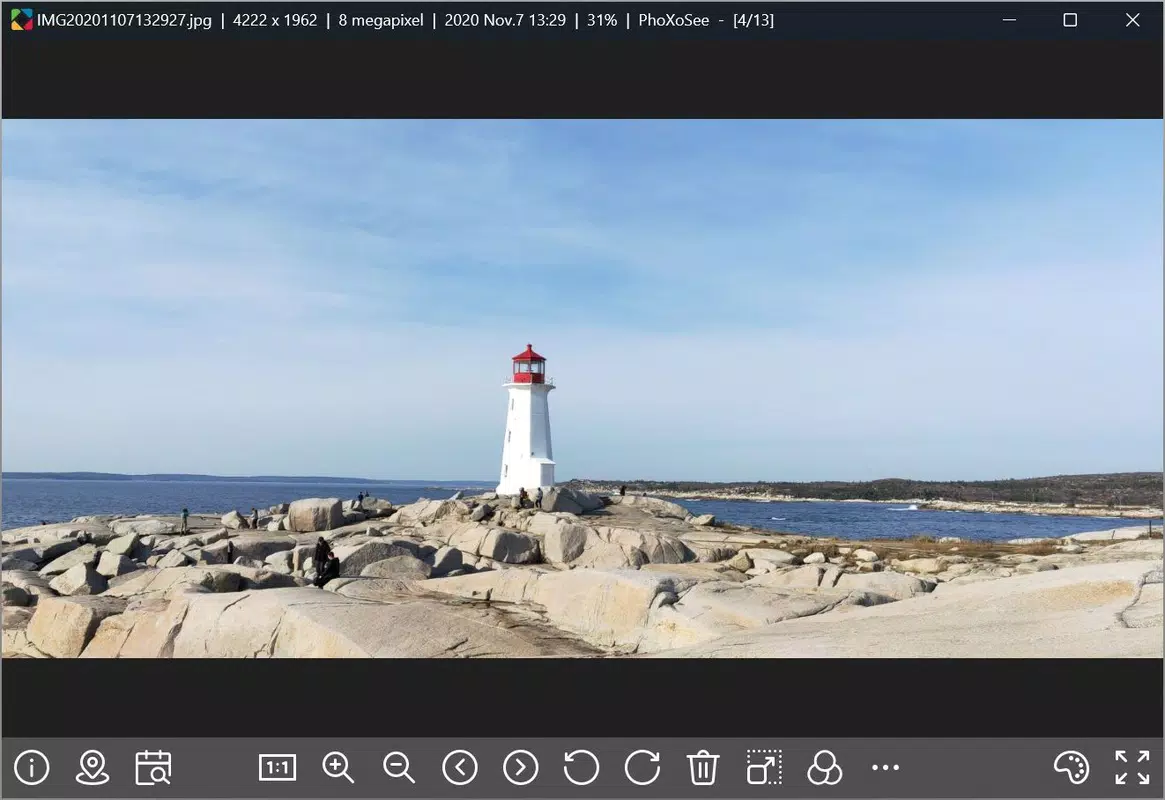
PhoXoSee presents a clean, minimalistic interface focused on image display with intuitive navigation. The layout prioritizes visual content, minimizing on-screen clutter while maintaining essential controls. Users can toggle between full-screen, borderless, and standard modes, offering flexibility based on viewing preferences. The UI is responsive and stable, with smooth transitions between images and quick reaction times to user inputs.
Navigation is straightforward, relying on keyboard shortcuts and mouse interactions to move through image folders. The integration with Windows Explorer ensures a seamless experience when browsing files, as thumbnails appear instantly without requiring external software. Although the developer did not list formal performance metrics, the app’s 1.5 MB size and real-time processing capabilities suggest efficient resource management.
Performance across different device categories appears consistent, as the app is designed to operate efficiently even on systems with limited RAM or older processors. Responsiveness remains high during image transitions, and the application does not exhibit noticeable lag during use. Stability is maintained during extended sessions, with no reported crashes or freezes in available documentation.
Platform Compatibility & Technical Requirements
PhoXoSee is available for the Windows platform and is compatible with the latest versions of the Windows operating system. The application has a file size of 1.5 MB, making it highly portable and suitable for installation on devices with limited storage. The version currently available is 1.5.0, released on May 29, 2025.
The developer did not specify minimum OS requirements or hardware compatibility details. However, given the app’s lightweight nature and focus on performance, it is likely to function on a wide range of Windows devices, including those with older configurations. Specific requirements were not listed, so users are advised to ensure their system meets general Windows compatibility standards.
Pros and Cons
Pros
- Extremely lightweight at just 1.5 MB
- Ultra-fast image loading and minimal memory usage
- Real-time image processing without saving changes
- Enhances Windows Explorer with thumbnail previews for HEIC, SVG, PSD, and TGA
- Supports advanced search by date and GPS location
- Customizable UI with multiple themes and display modes
- Available in 12 languages for broader accessibility
- Free to download and use
Cons
- Platform limited to Windows only
- Developer did not provide detailed system requirements
- No built-in editing tools beyond real-time viewing enhancements
- File format support is limited to specific types
- No cloud integration or synchronization features
- Updates may not be frequently released
FAQ
Is PhoXoSee safe to download and install?
Yes, PhoXoSee is a free and secure tool developed by the PhoXoSee Team. It does not contain ads, malware, or tracking components based on available information.
Can I use PhoXoSee on older Windows systems?
While specific compatibility details were not provided, the app’s lightweight design suggests it may function on older Windows versions. Users are advised to test it on their system to confirm performance.
Does PhoXoSee support video files?
Based on the available information, PhoXoSee is focused exclusively on image files. There is no indication of video playback support.
Is PhoXoSee available for Android or iOS?
Currently, PhoXoSee is only available for the Windows platform. There is no official release for Android or iOS devices.
How often are updates released?
The latest version is 1.5.0, released on May 29, 2025. The update frequency is not specified by the developer.
Final Thoughts
PhoXoSee delivers a powerful yet minimalistic solution for users who value speed, efficiency, and system compatibility. Its ability to load images instantly, process visuals in real time, and integrate seamlessly with Windows Explorer makes it a standout tool in the productivity category. The customizable interface and support for multiple languages enhance usability across diverse user groups.
While it lacks advanced editing features and cloud capabilities, PhoXoSee excels as a dedicated image viewer optimized for performance and simplicity. It is ideal for photographers, designers, archivists, and anyone managing large volumes of digital images on Windows.
For those seeking a fast, free, and lightweight image viewer with robust file format support and smart search tools, PhoXoSee offers significant value. Download PhoXoSee now


